> ## Documentation Index
> Fetch the complete documentation index at: https://docs.trychroma.com/llms.txt
> Use this file to discover all available pages before exploring further.
# Collection Forking
> Instant copy-on-write collection forking in Chroma Cloud.
export const Callout = ({title, children}) =>
{title &&
{title}
}
{children}
;
Forking lets you create a new collection from an existing one instantly, using copy-on-write under the hood. The forked collection initially shares its data with the source and only incurs additional storage for incremental changes you make afterward.
**Forking is available in Chroma Cloud only.** The storage engine on single-node Chroma does not support forking.
## How it works
* **Copy-on-write**: Forks share data blocks with the source collection. New writes to either branch allocate new blocks; unchanged data remains shared.
* **Instant**: Forking a collection of any size completes quickly.
* **Isolation**: Changes to a fork do not affect the source, and vice versa.
## Try it
* **Cloud UI**: Open any collection and click the "Fork" button.
* **SDKs**: Use the fork API from Python or JavaScript.
### Examples
```python Python theme={null}
source_collection = client.get_collection(name="main-repo-index")
# Create a forked collection. Name must be unique within the database.
forked_collection = source_collection.fork(new_name="main-repo-index-pr-1234")
# Forked collection is immediately queryable; changes are isolated
forked_collection.add(documents=["new content"], ids=["doc-pr-1"]) # billed as incremental storage
```
```typescript TypeScript theme={null}
const sourceCollection = await client.getCollection({
name: "main-repo-index",
});
// Create a forked collection. Name must be unique within the database.
const forkedCollection = await sourceCollection.fork({
name: "main-repo-index-pr-1234",
});
await forkedCollection.add({
ids: ["doc-pr-1"],
documents: ["new content"], // billed as incremental storage
});
```
```rust Rust theme={null}
let source_collection = client.get_collection("main-repo-index").await?;
// Create a forked collection. Name must be unique within the database.
let forked_collection = source_collection
.fork("main-repo-index-pr-1234")
.await?;
// Changes are billed as incremental storage
forked_collection
.add(
vec!["doc-pr-1".to_string()],
vec![vec![0.1, 0.2, 0.3]],
Some(vec![Some("new content".to_string())]),
None,
None,
)
.await?;
```
[In this notebook](https://github.com/chroma-core/chroma/blob/main/examples/advanced/forking.ipynb) you can find a comprehensive demo, where we index a codebase in a Chroma collection, and use forking to efficiently create collections for new branches.
## Pricing
* **\$0.03 per fork call**
* **Storage**: You only pay for incremental blocks written after the fork (copy-on-write). Unchanged data remains shared across branches.
## Quotas and errors
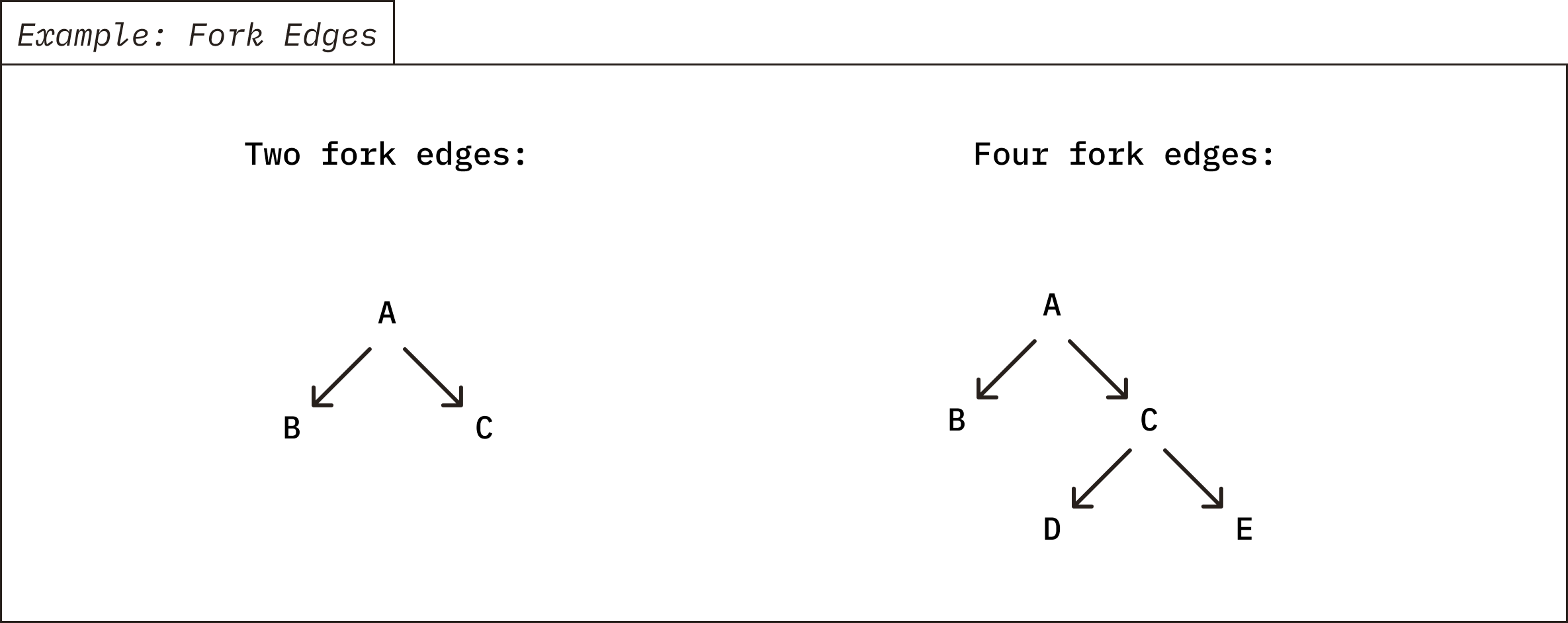
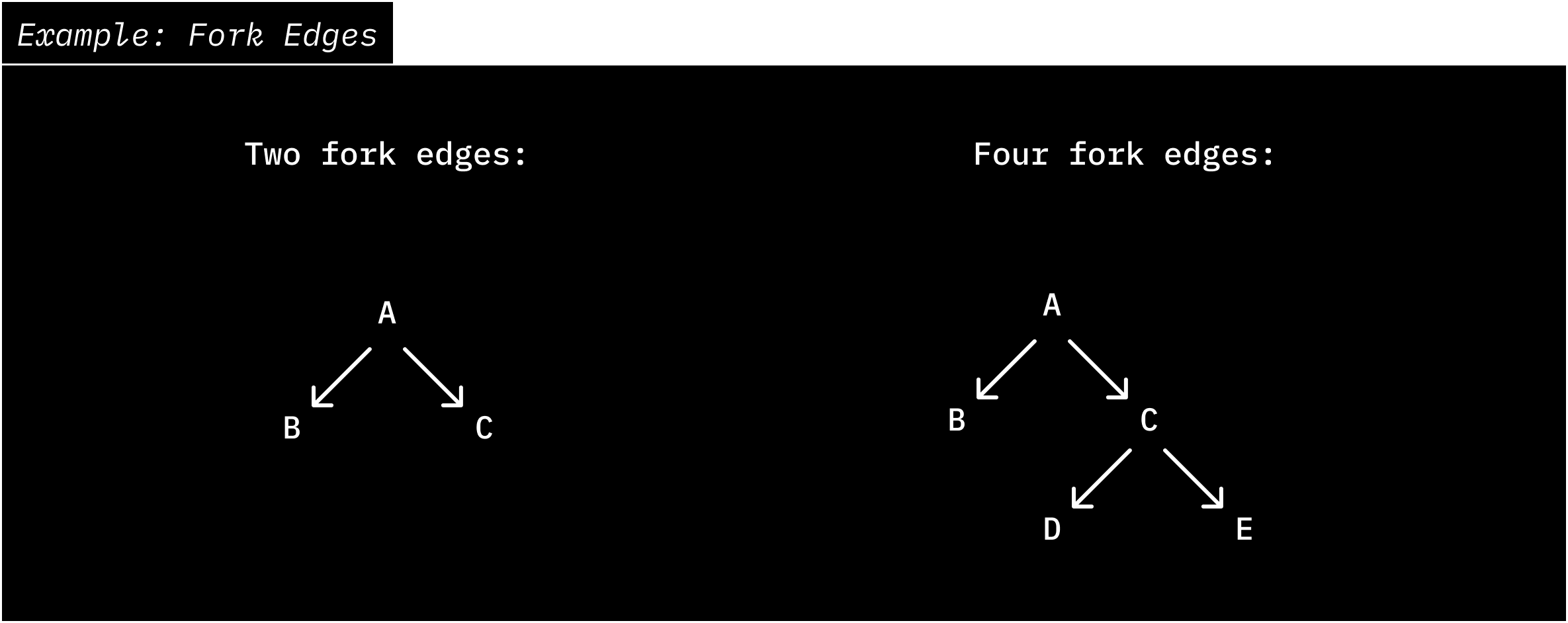
Chroma limits the number of fork edges in your fork tree. Every time you call "fork", a new edge is created from the parent to the child. The count includes edges created by forks on the root collection and on any of its descendants; see the diagram below. The current default limit is **256** edges per tree. If you delete a collection, its edge remains in the tree and still counts.
If you exceed the limit, the request returns a quota error for the NUM\_FORKS rule. In that case, create a new collection with a full copy to start a fresh root.
 ## When to use forking
* **Data versioning/checkpointing**: Maintain consistent snapshots as your data evolves.
* **Git-like workflows**: For example, index a branch by forking from its divergence point, then apply the diff to the fork. This saves both write and storage costs compared to re-ingesting the entire dataset.
## Notes
* Your forked collections will belong to the same database as the source collection.
## When to use forking
* **Data versioning/checkpointing**: Maintain consistent snapshots as your data evolves.
* **Git-like workflows**: For example, index a branch by forking from its divergence point, then apply the diff to the fork. This saves both write and storage costs compared to re-ingesting the entire dataset.
## Notes
* Your forked collections will belong to the same database as the source collection.